
An article from Fitness Karma
How Fitness Karma Tracks Bodyweight, Assisted, and Partial-Bodyweight Exercises
Learn how Fitness Karma records full, partial, assisted, and weighted bodyweight exercises so pull-ups, dips, and similar work stay useful in your log.
A pull-up can mean your full bodyweight. The same movement on an assisted machine means your bodyweight minus the help from the machine. Add a weight belt and there is another number to include. A normal “weight” field on its own does not explain the difference.
Fitness Karma uses the bodyweight mode assigned to an exercise, your latest applicable bodyweight record, and any added external load to resolve the applicable load for a set. That keeps bodyweight work in the same record as the rest of your training instead of making it look like zero simply because there was no plate stack to enter.
This is a logging model, not a measurement of force, technique, muscle activation, recovery, or the quality of an exercise. Its job is to make the workout record consistent with the way the exercise is configured.
The four bodyweight modes at a glance
Every exercise has one bodyweight setting that tells Fitness Karma whether—and how—bodyweight belongs in its recorded load.
| Bodyweight mode | What Fitness Karma uses | A practical example |
|---|---|---|
| Full | Your full, applicable recorded bodyweight | Pull-up or dip |
| Partial | Your recorded bodyweight multiplied by that system or custom exercise’s stored percentage | An incline, knee, or pike push-up variation |
| Assisted | The relevant bodyweight contribution, reduced by the recorded machine or band assistance | Machine-assisted pull-up or band-assisted dip |
| None | No bodyweight contribution | An exercise where bodyweight should not be part of the record |
The mode belongs to the exercise, not to a particular set of reps. If you need an exercise with a different way of recording bodyweight, use a separately configured custom exercise rather than treating the same system exercise as if it had changed its model.
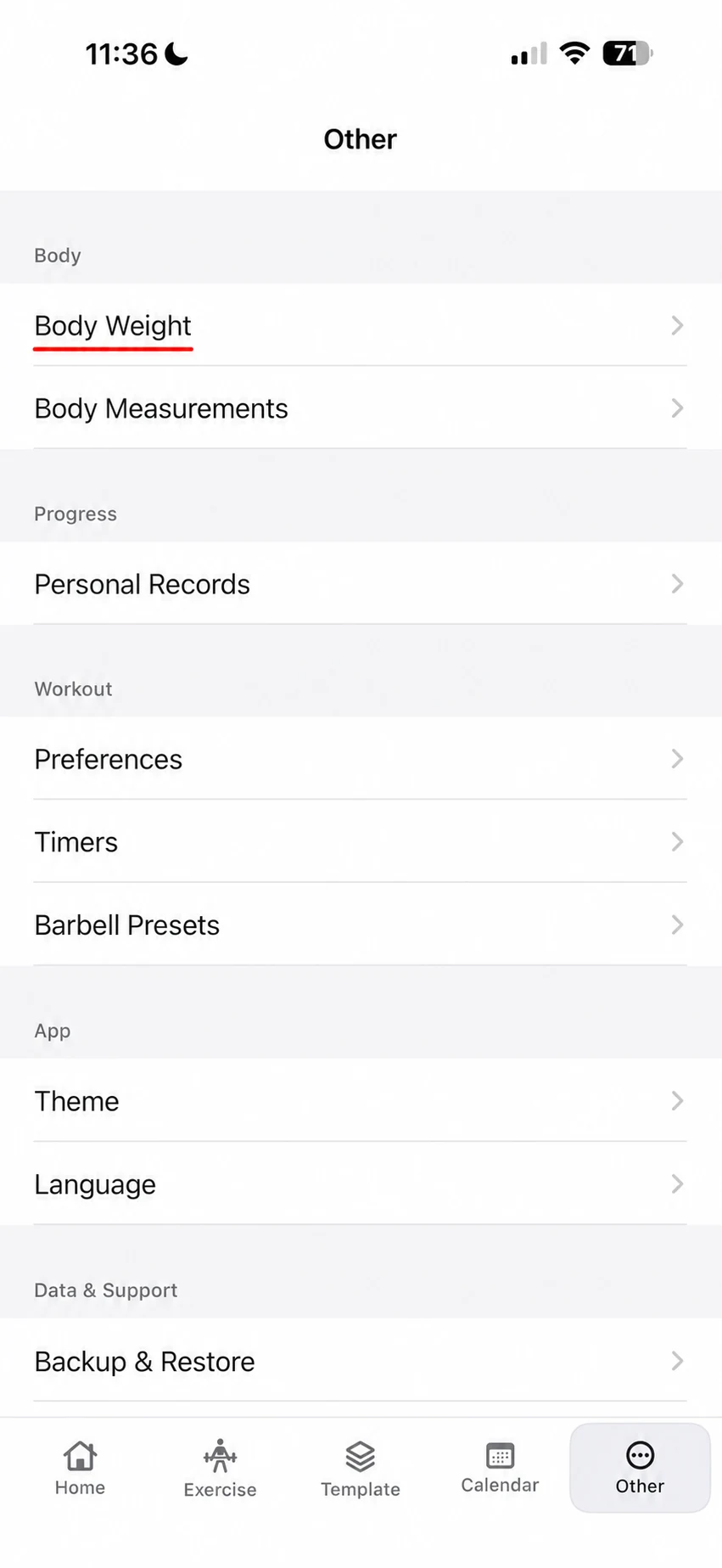
Start with a bodyweight record
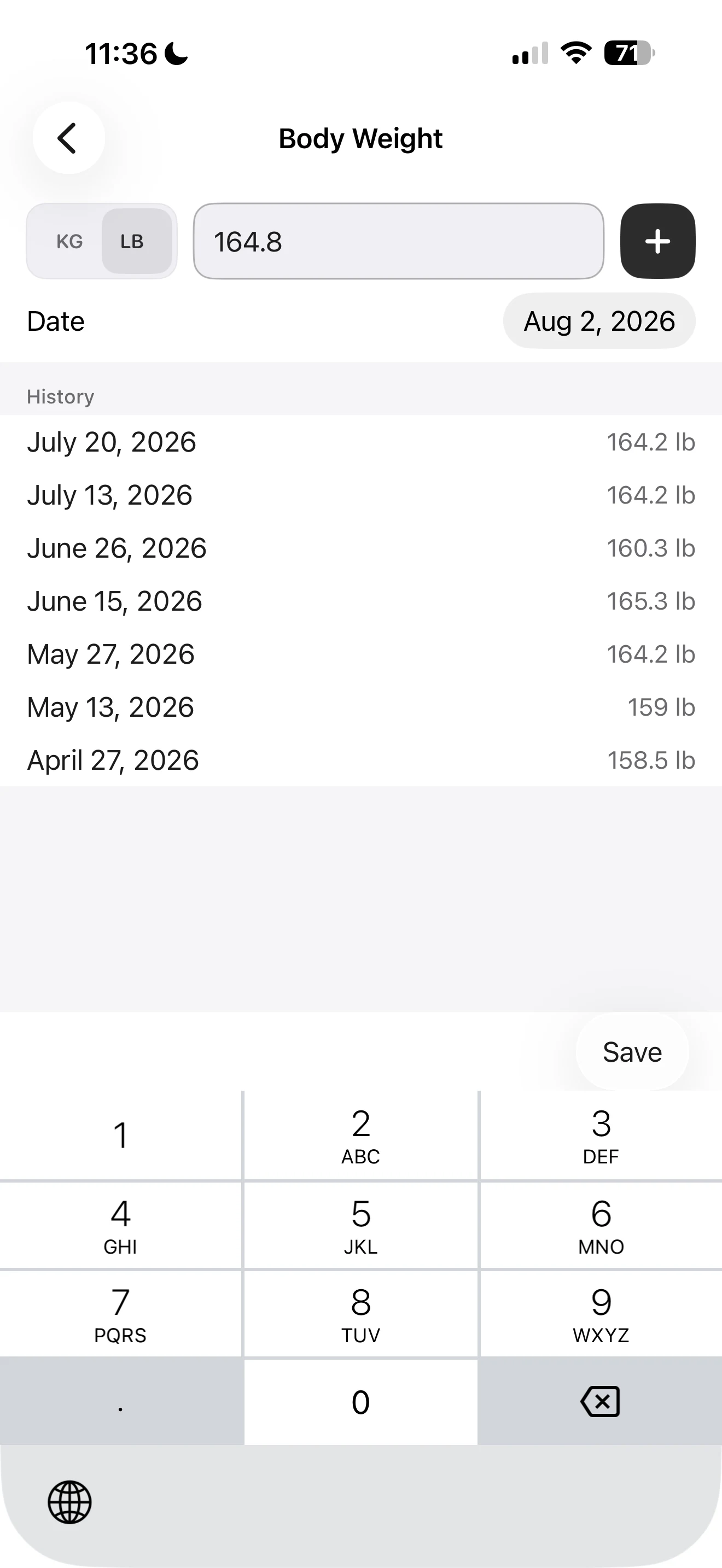
For an exercise that uses full, partial, or assisted bodyweight, Fitness Karma needs an applicable bodyweight entry to work from. In the current app, open Other and choose Body Weight to record or update it before expecting the app to include it in a set.
You do not need to turn that into a ritual for the sake of the log. The practical point is simpler: a pull-up, dip, or partial-bodyweight movement needs a known reference value if you want the bodyweight part of the record to be available. The Body Weight screen keeps the entry field, unit choice, date, and prior entries together.
If there is no applicable bodyweight entry, Fitness Karma does not guess one. The bodyweight contribution—and the load or training volume that depends on it—remains unavailable. The app also does not warn that an older recorded bodyweight may no longer reflect your current weight, so update the record when you want the calculation to use a newer reference.
Full bodyweight: pull-ups, dips, and added weight
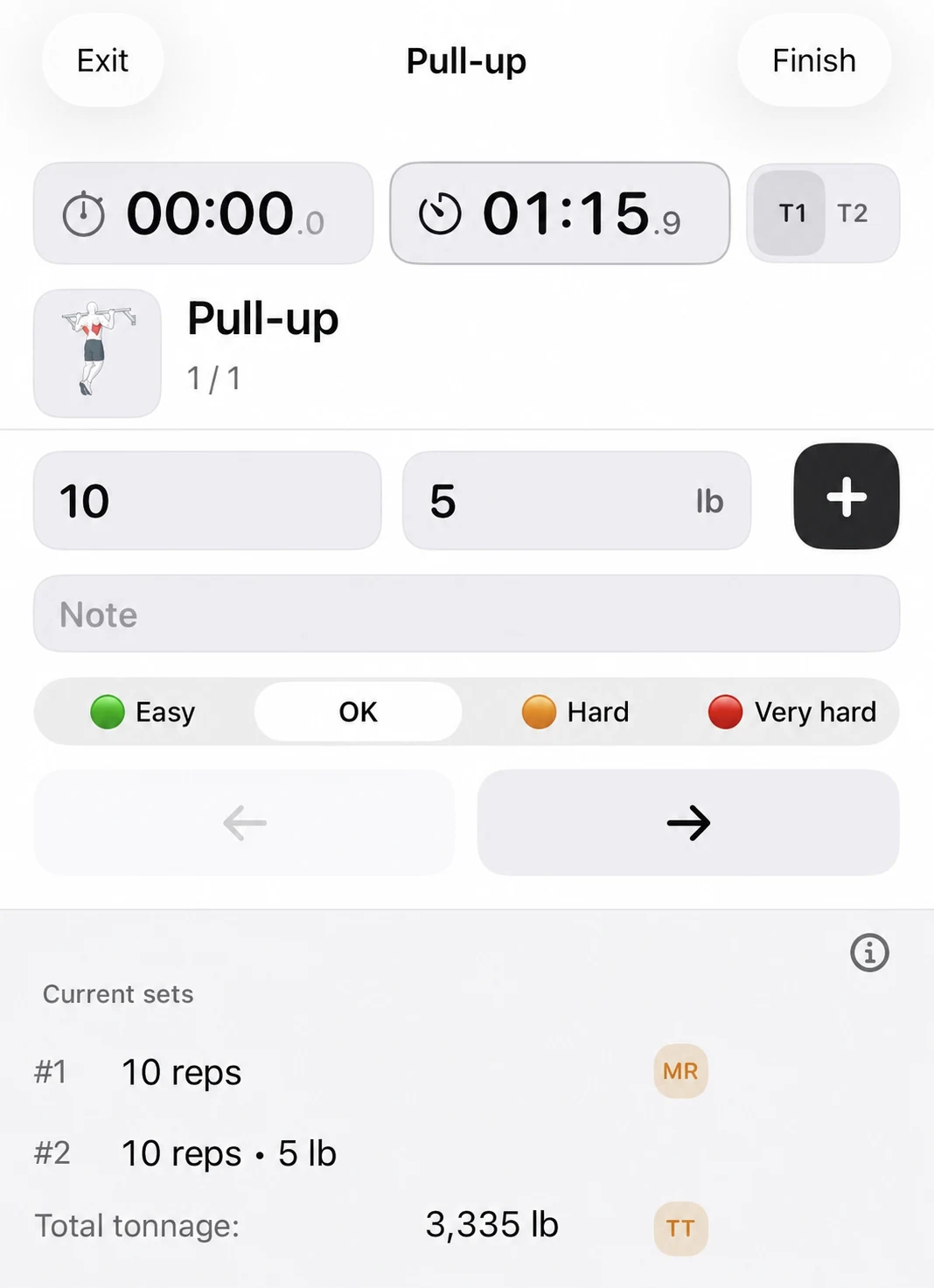
Choose an exercise configured for Full bodyweight when the app should use all of your applicable recorded bodyweight. A standard pull-up or dip is the straightforward example: the bodyweight record supplies the bodyweight part of the logged load.
Added external weight is included on top when the exercise and set use it. If your recorded bodyweight is 180 lb and you log 25 lb of added weight for a weighted pull-up, the app can use a 205 lb effective load for that set’s applicable calculations. You still enter the external number you actually need to reproduce next time.
This does not turn a pull-up into the same kind of entry as a barbell lift. It simply gives the record a way to include both the bodyweight contribution and any added external load when they apply.
For the separate question of how to enter a barbell, one dumbbell, a machine side, or plates, see How Load Modes Work in Fitness Karma. Those entry interpretations are a different part of the workout log.
Assisted bodyweight: machine and band support
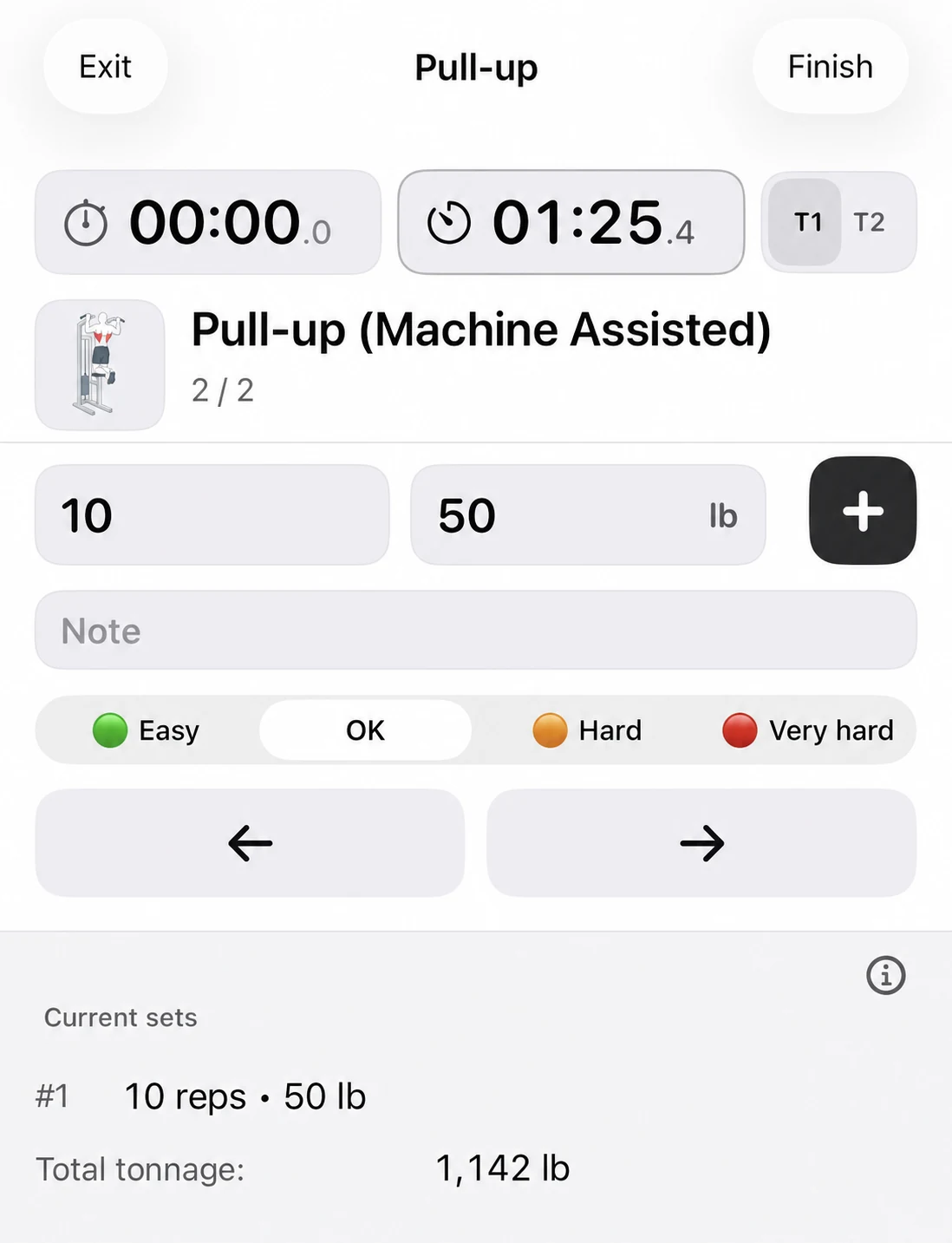
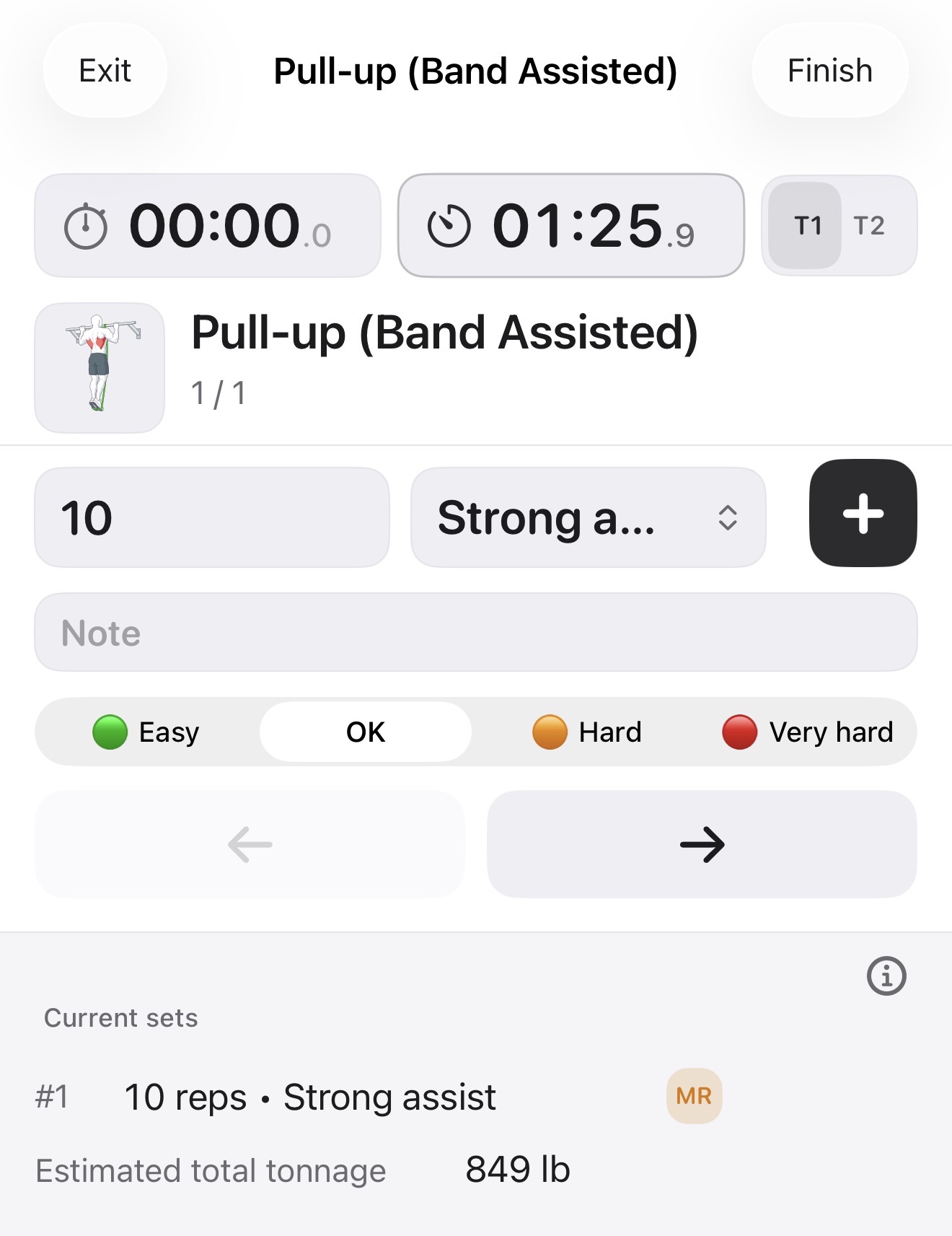
An assisted variation still belongs in the record, but the bodyweight contribution is reduced by the support used. For a machine-assisted exercise, Fitness Karma subtracts the entered assistance from the bodyweight contribution. If a bodyweight reference is 180 lb and the machine assistance entered for a set is 70 lb, the resulting contribution is 110 lb before any applicable added external load.
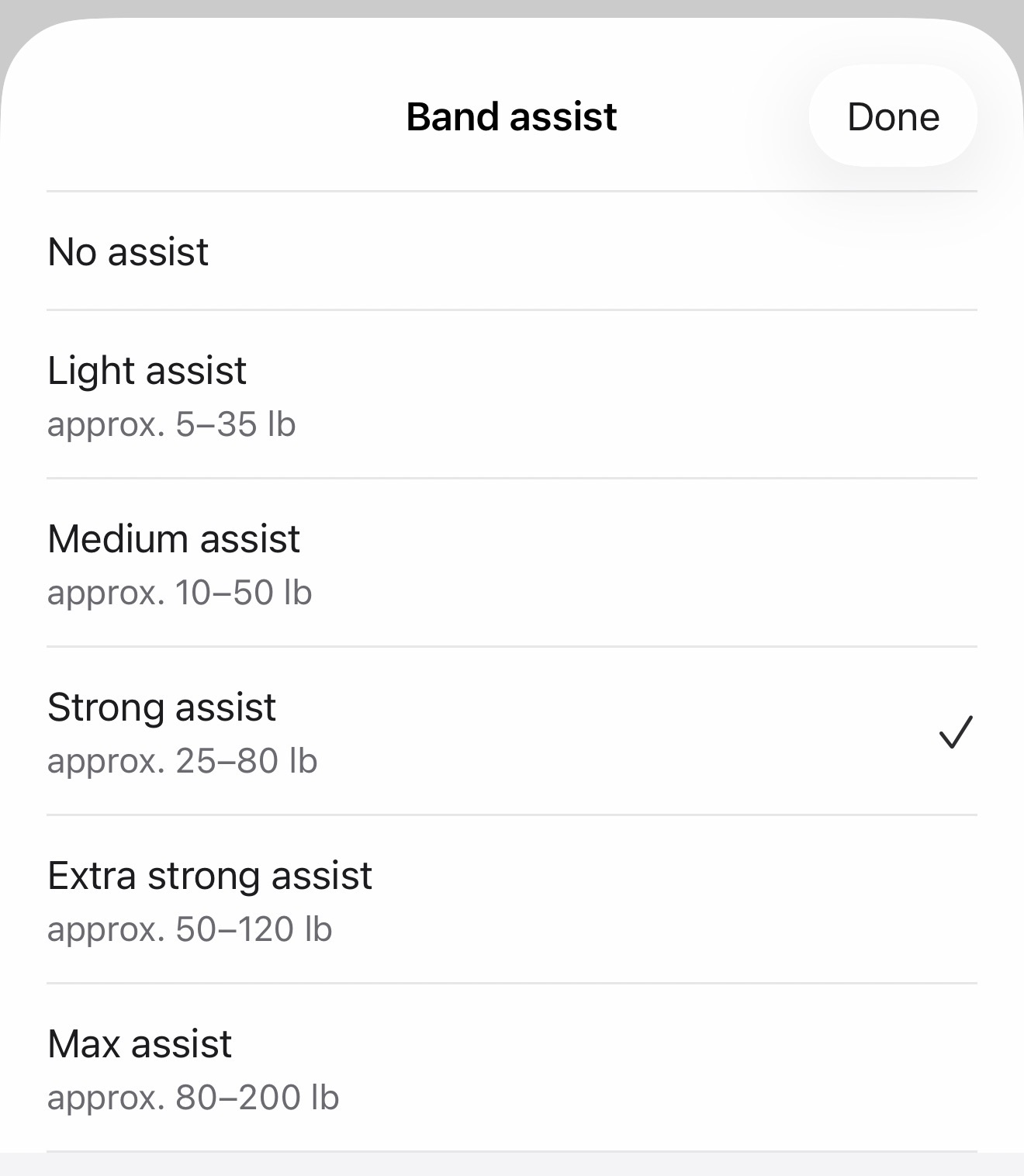
Band-assisted exercises use a different rule. When you select the band setting for a set, Fitness Karma shows its available assistance levels and their approximate ranges. It then reduces the contribution with its conservative estimate of the resistance band’s assistance rather than treating a band as a fixed machine value.
The entry is useful as a consistent record, but it is not a claim that the app has measured the exact force supplied by a particular band in a particular position.
If the resulting effective load would be zero or below, Fitness Karma suppresses that load instead of reporting a negative one. It does not independently decide whether the assistance amount makes sense for your bodyweight or the exercise.
Partial bodyweight: a stored exercise setting, not a personal score
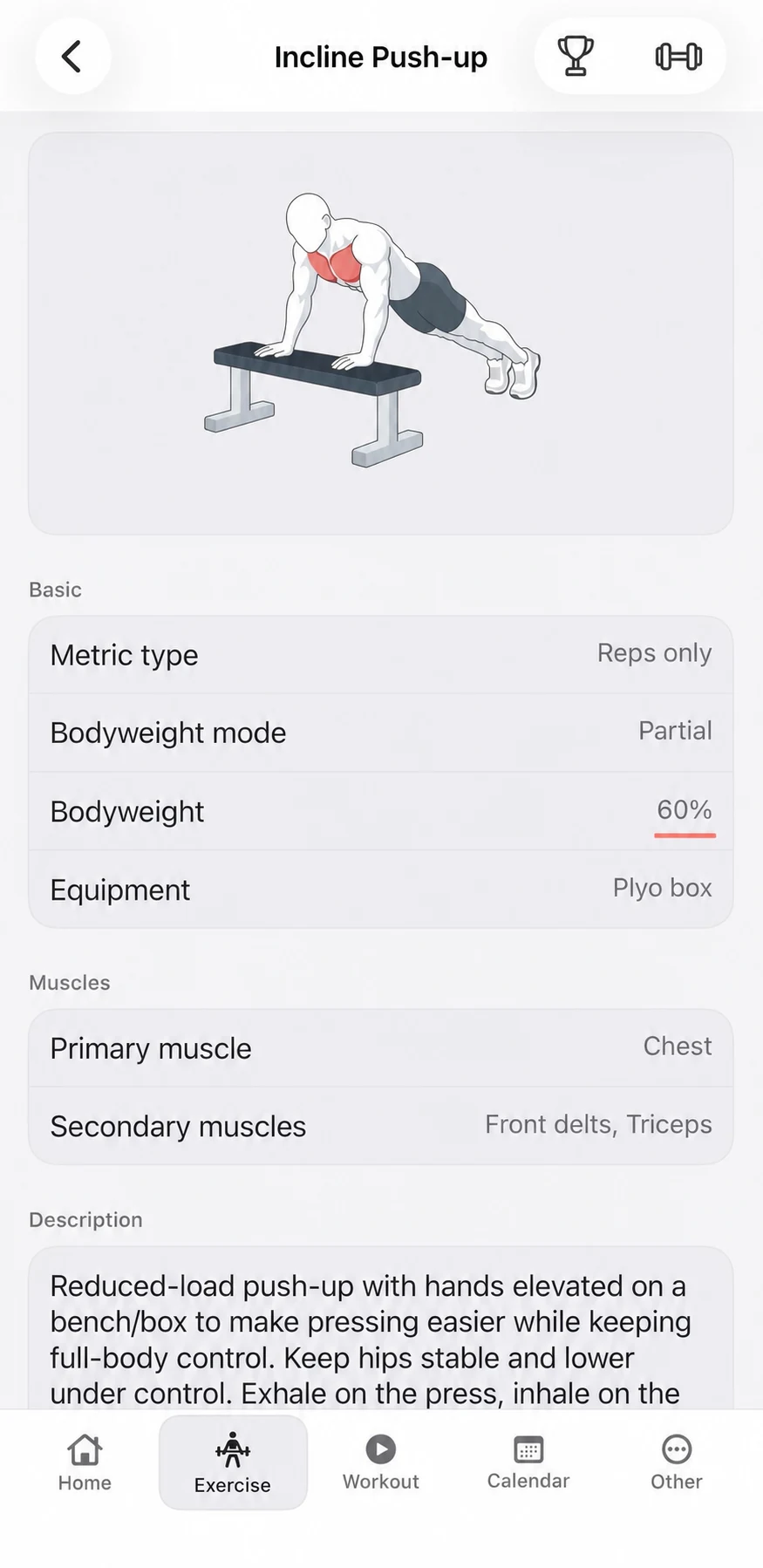
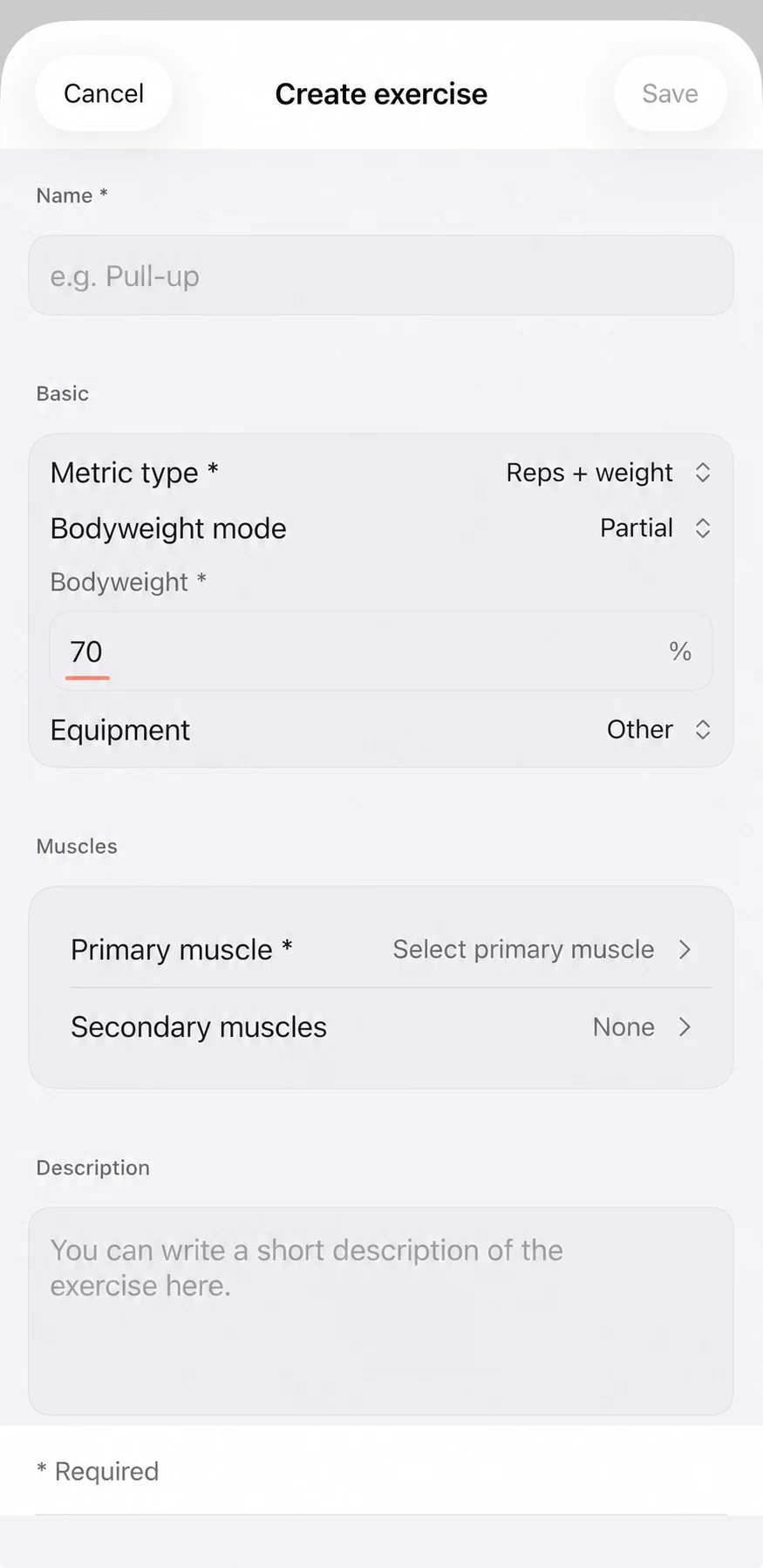
Some movements use only a portion of bodyweight in Fitness Karma’s recorded model. For a Partial bodyweight exercise, the app multiplies the known bodyweight by the percentage stored for that exercise, then includes applicable external added weight.
The percentage is visible in a system exercise’s details. It is there to make the app’s recording rule inspectable, not to say that every person performs the movement with exactly the same mechanics or load. An incline push-up, knee push-up, pike push-up, or back extension may fall in this category, but the stored percentage belongs to the specific exercise configuration.
You cannot directly edit the stored percentage on a system exercise. That boundary is intentional: the system exercise stays consistent in the library. If you need a different recording model, create a custom exercise rather than reading the system percentage as a prescription for your body or technique.
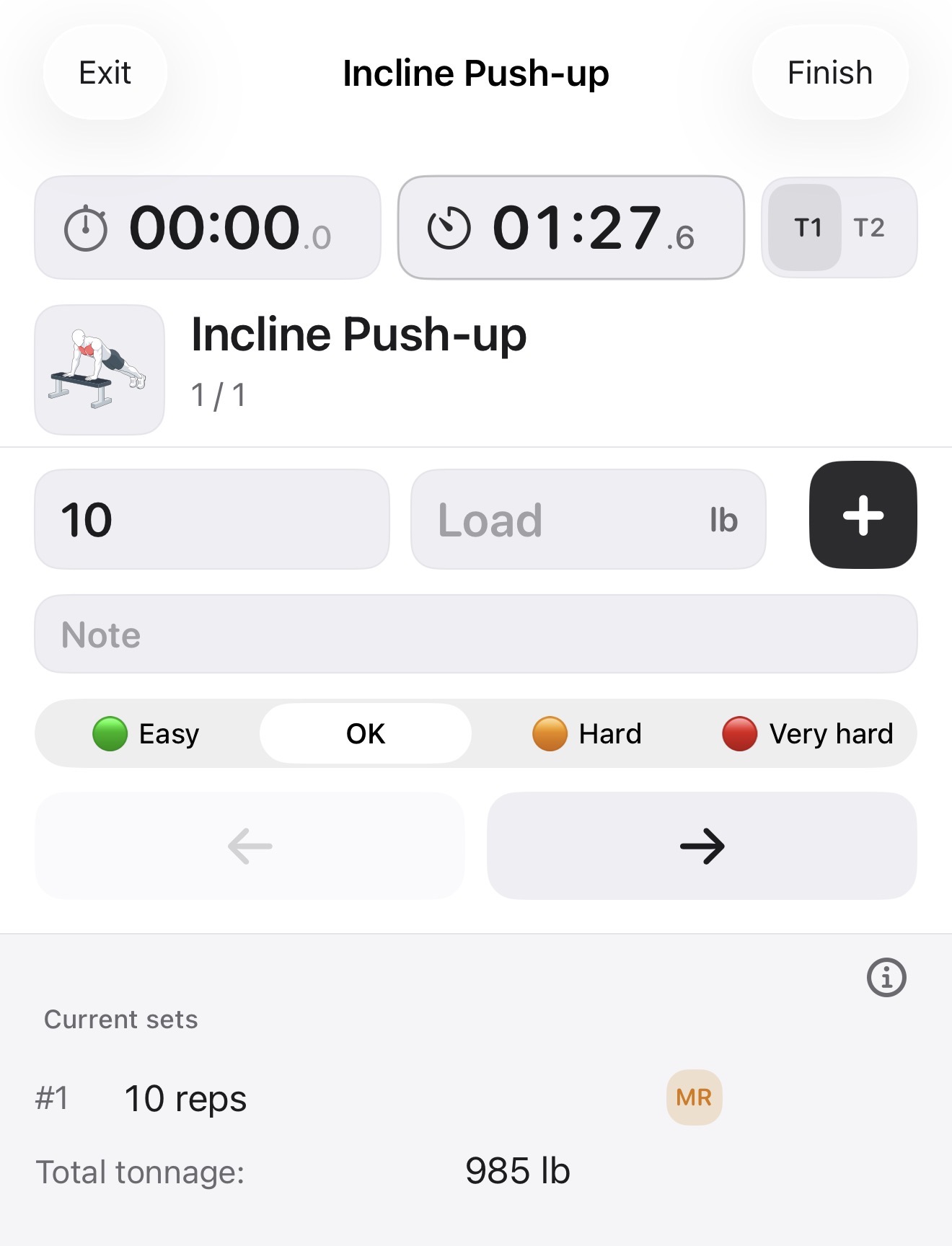
In an active workout, the partial-bodyweight exercise can be logged without an external load in the input field. Its bodyweight contribution still appears in the workout record where applicable, rather than being treated as an ordinary zero-load set.
When you need a different setup: create a custom exercise
Custom exercises let you configure how Fitness Karma records a movement when the existing system exercise is not the right fit. A custom exercise can use None, Full, or Partial bodyweight; a custom partial percentage can be set from 1% to 100%.
Assisted custom exercises are available only for eligible reps-based exercises and require machine or resistance-band equipment. That is a configuration choice for the log, not a recommendation about which movement, percentage, band, or assistance amount you should use.
The complete field-by-field setup belongs in How to Create a Custom Exercise. This guide is only about choosing the bodyweight model that makes the set record meaningful.
A quick decision map before you log
- Does the movement use your whole recorded bodyweight? Use Full.
- Does the exercise’s app configuration use a stored proportion of bodyweight? Use Partial.
- Does machine or band support reduce the bodyweight contribution? Use Assisted.
- Should bodyweight not take part in the recorded load? Use None.
These are recording settings, not exercise-selection or safety advice. Once a bodyweight-based set is logged, it can sit beside the rest of your training history instead of disappearing into an empty weight field. For the broader picture, start with Fitness Karma: A Fast Workout Log for Lifters; for the complete active-workout flow, see How to Log a Workout in Fitness Karma; and for reviewing those sets over time, read How to Track Progress With Workout History, PRs, and Calendar.