
An article from Fitness Karma
How Load Modes Work in Fitness Karma
Learn when to enter total weight, one dumbbell, or barbell plates in Fitness Karma—and how the app resolves the load for each logged set.
You have two 30 lb dumbbells in your hands. Or you have 37.5 lb of plates on each side of a 20 kg bar. The number that helps you set up the same lift next week is not always the complete load behind the set.
That is what Load Modes are for. In Fitness Karma, you enter the number you want to remember at the equipment, then choose what that number represents. The app resolves the applicable total load for the logged set and its calculations.
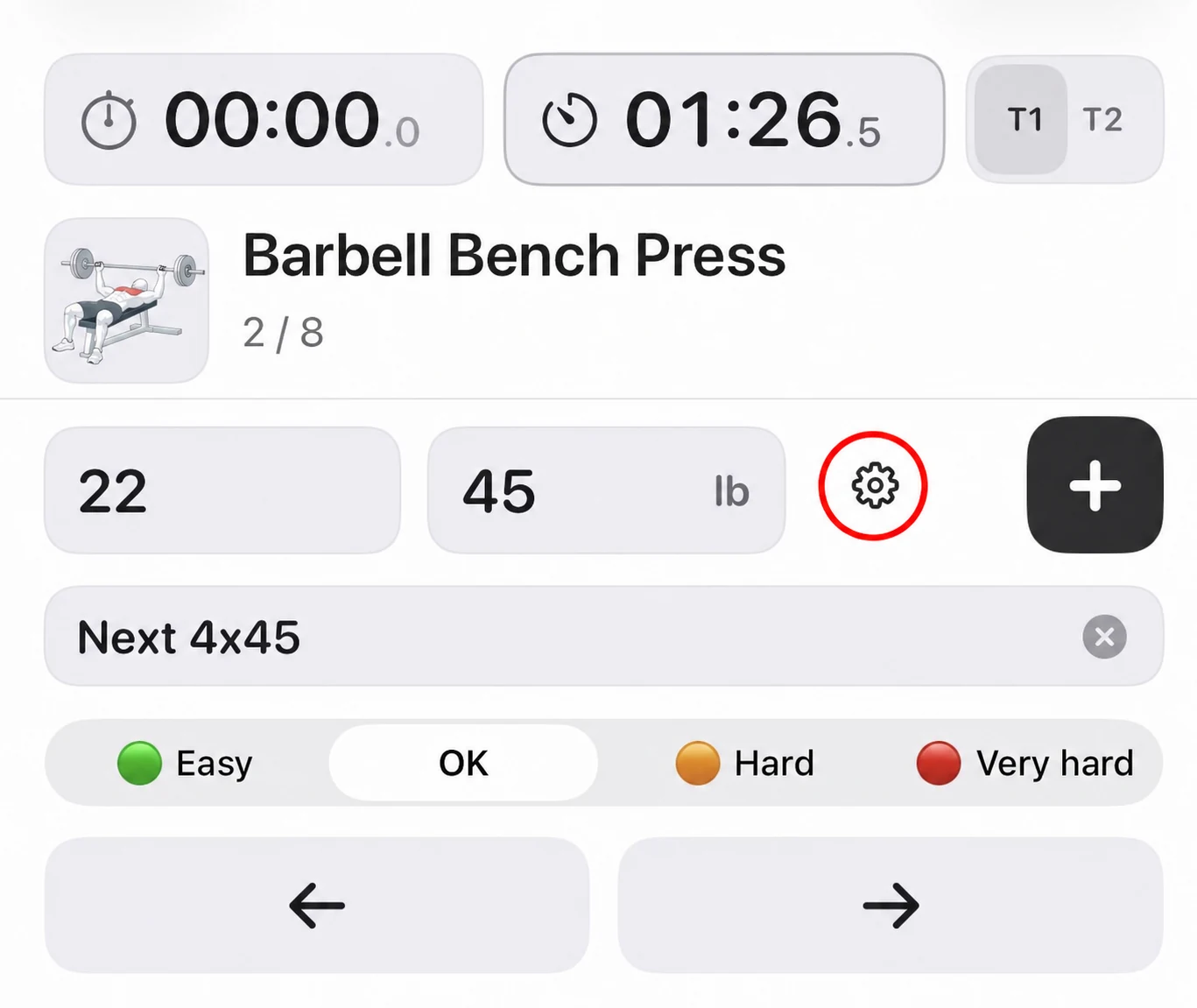
The four choices at a glance
Load entry separates the number you type from the load it represents. On eligible exercises, you can choose the appropriate scope and, for a barbell, whether the number is the plates across both sides or the plates on one side. Together, those choices cover four practical cases:
| Load Mode | Enter this | Fitness Karma resolves |
|---|---|---|
| Total Weight | The complete load | The entered number as-is. Nothing is doubled or added. |
| One Side / One Implement | One of two equal dumbbells or equal machine sides | Two times the entered number. |
| Plates Only | The combined plates on both sides of the bar, with a selected barbell preset | The entered plates plus the selected barbell weight. |
| Plates Only + One Side / One Implement | The plates on one side of the bar, with a selected barbell preset | Two times the entered plates plus the selected barbell weight. |
Not every exercise offers every option. These controls describe how Fitness Karma should interpret an entry for that exercise; they are not a rule that every dumbbell, machine, or barbell is handled the same way.
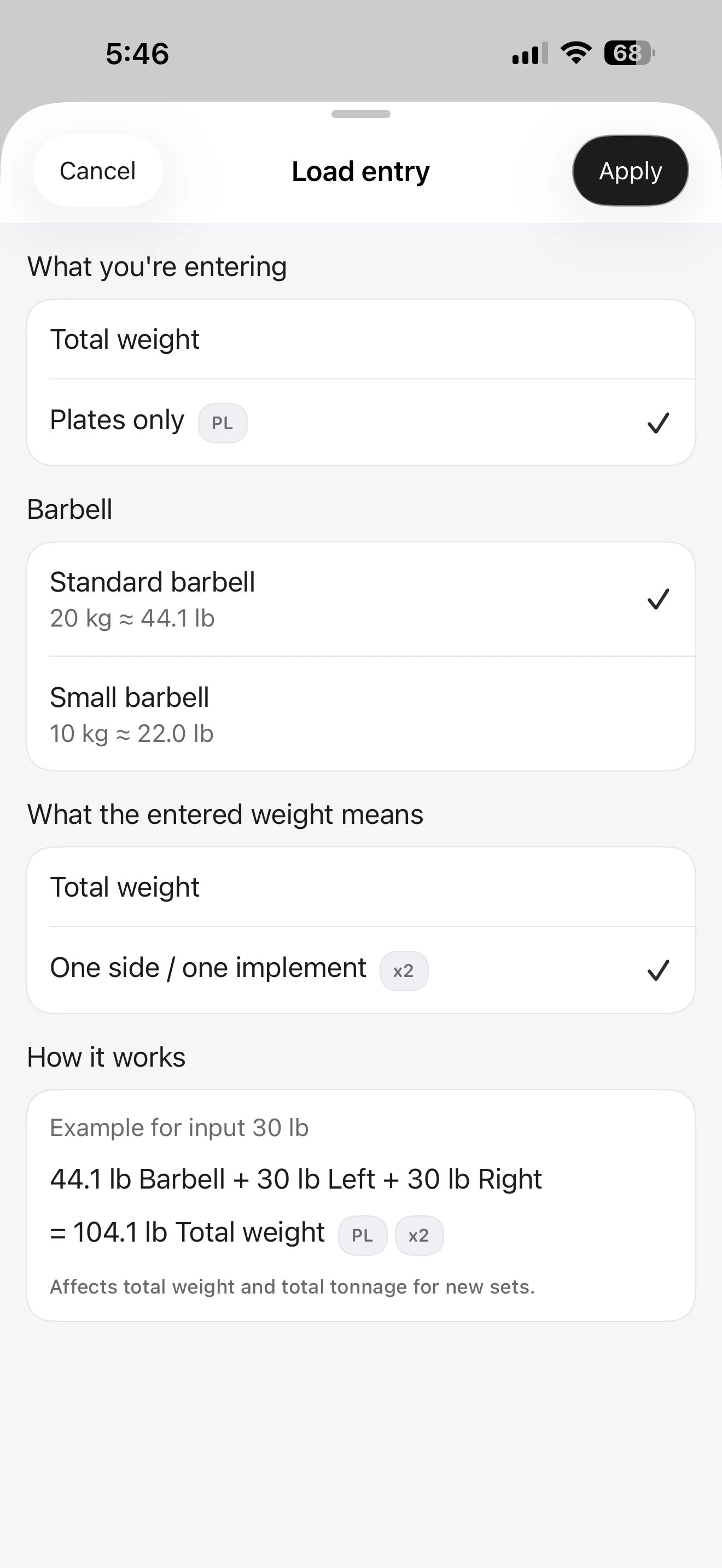
Total Weight: when the number already tells the whole story
Choose Total Weight when the value you type is already the complete load you want Fitness Karma to record. There is nothing else for the app to calculate: no second dumbbell or machine side to include, and no other part of the load to add.
For example, this can be the full weight of a fixed-weight implement or a single implement used on its own. If you enter 135 lb because 135 lb is the complete load you want to record, that entry is already complete.
One Side / One Implement: one dumbbell or one equal machine side
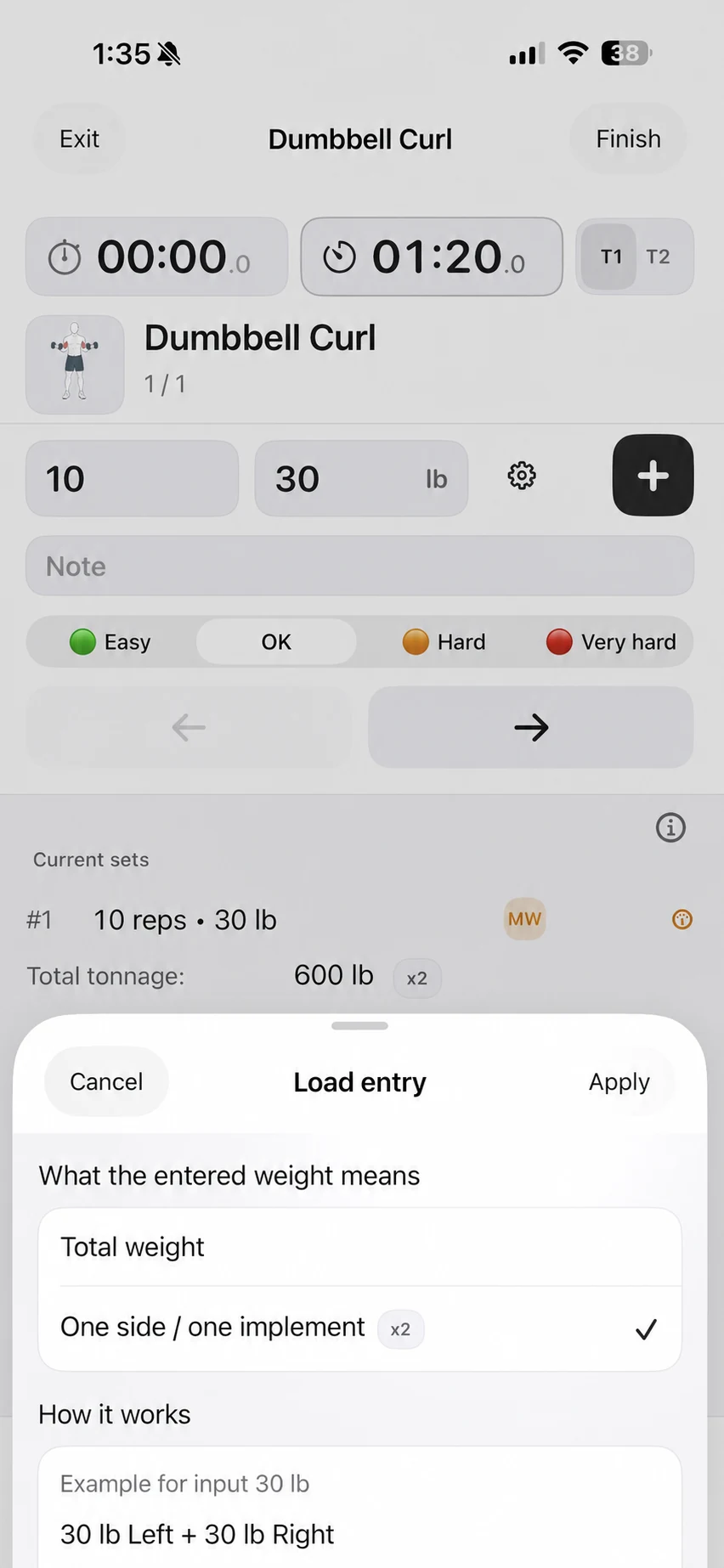
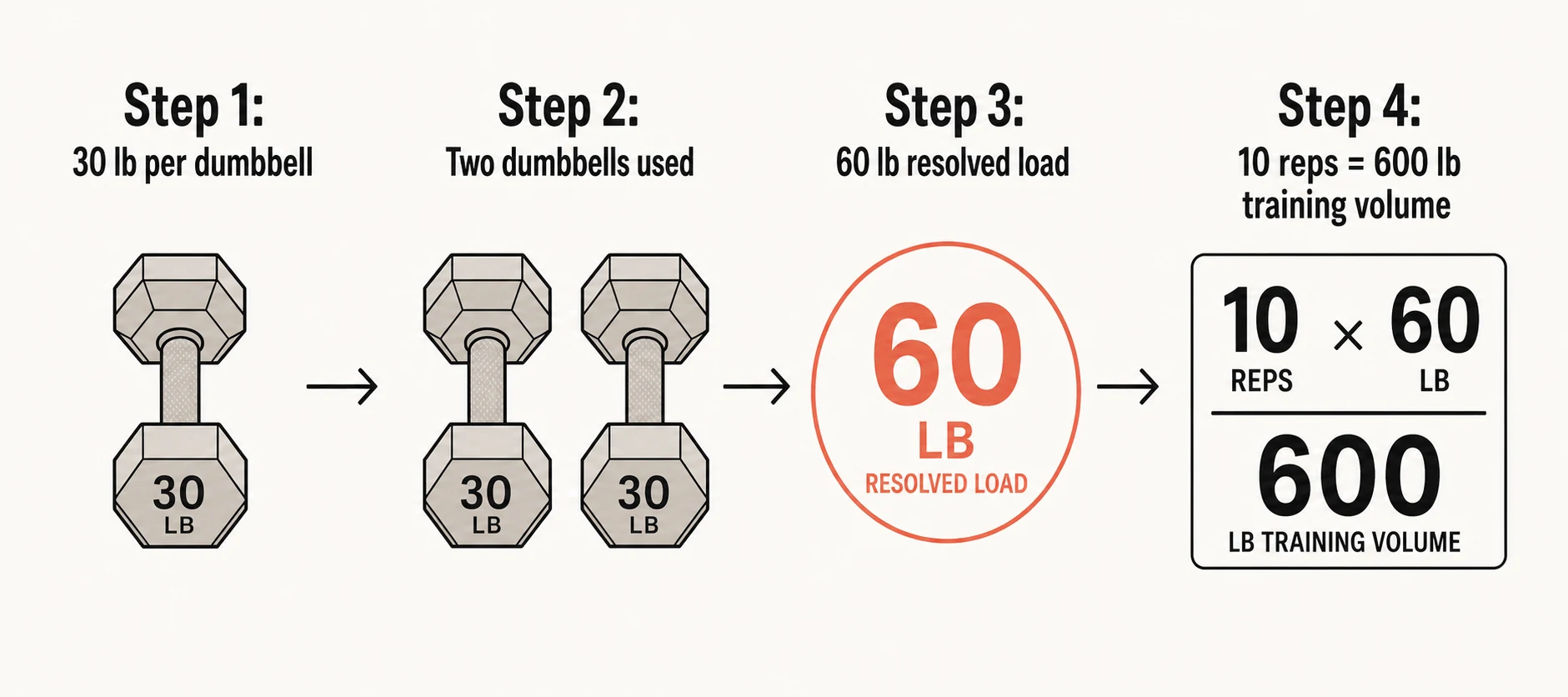
Choose One Side / One Implement when you deliberately enter one of two equal loads. A common example is a dumbbell curl with two 30 lb dumbbells: entering “30 lb” is convenient because it is the number printed on the dumbbell you will pick up next time. With this mode selected, Fitness Karma resolves the set as two 30 lb dumbbells.
The important part is the choice, not the exercise name. Fitness Karma does not assume that every dumbbell movement is bilateral. The same rule works for a symmetrical machine when you are entering the load on one of two equal sides.
If the left and right sides are not equal, Fitness Karma does not model them as separate asymmetric entries. One Side / One Implement is only for the case where the two sides or implements are intentionally equal.
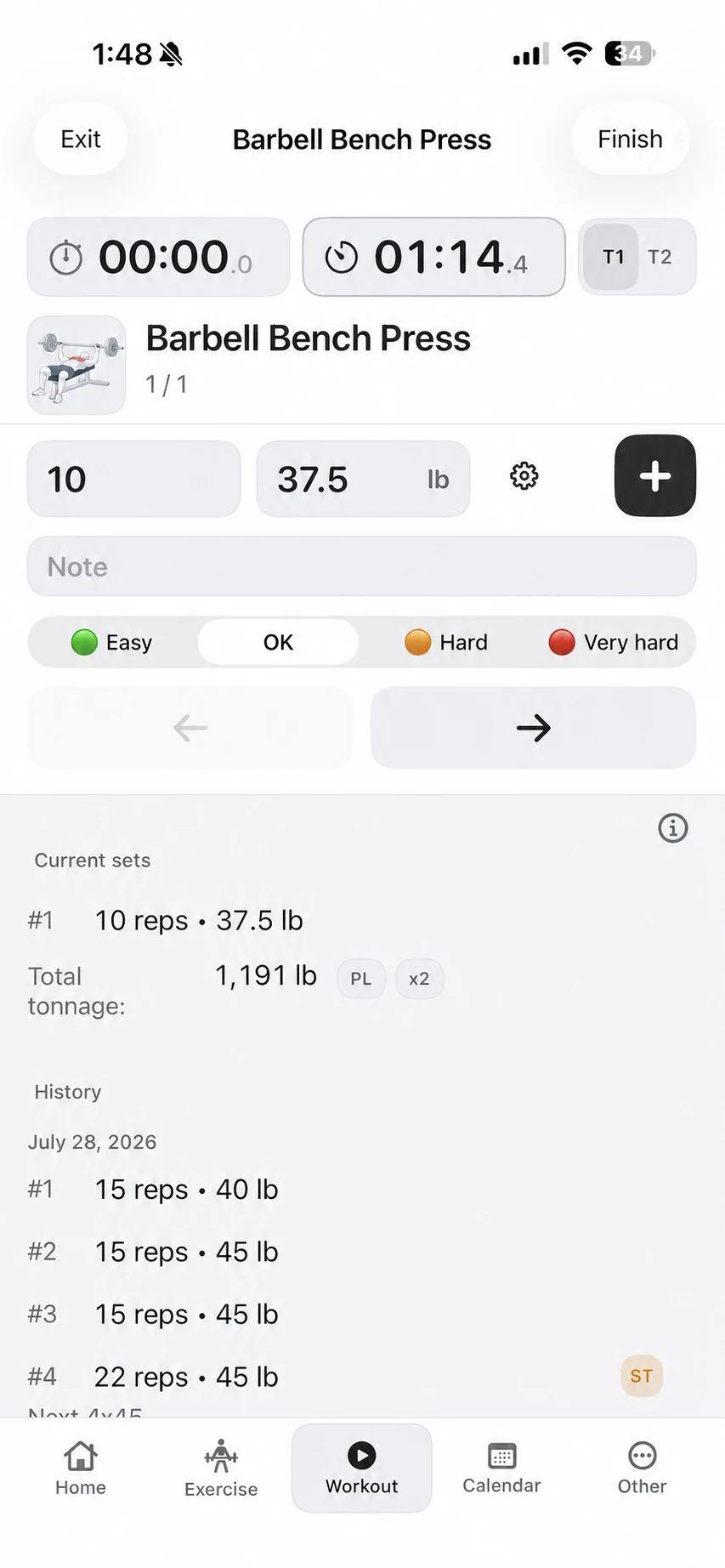
To see where this choice appears while you are recording a set, read How to Log a Workout in Fitness Karma.
Plates Only: when you enter the total plates on the bar
On supported barbell exercises, choose Plates Only when the number you enter is the combined weight of the plates on both sides of the bar. First select the relevant barbell preset, then enter the total plates value in the unit that makes sense for the equipment in front of you.
If the plates on the bar weigh 115 lb in total and you type 115 lb, Fitness Karma adds the selected barbell preset to resolve the complete load. You do not need to calculate or enter the whole loaded barbell yourself.
Plates Only + One Side / One Implement: when you remember one side
Choose Plates Only and One Side / One Implement when the useful number is the plates on one side of the bar. Fitness Karma doubles that plates entry, then includes the selected barbell weight to resolve the complete load.
Barbell presets live in Preferences. You can save a choice per exercise, and create custom presets with an editable name, weight, and unit. This is useful when the bars you use are not all the same.
For a bar-only warm-up, a zero plates value can still be recorded when a positive barbell preset is selected. The preset supplies the bar’s weight. This is a recording choice, not advice about what weight to use.
A useful mixed kg and lb example
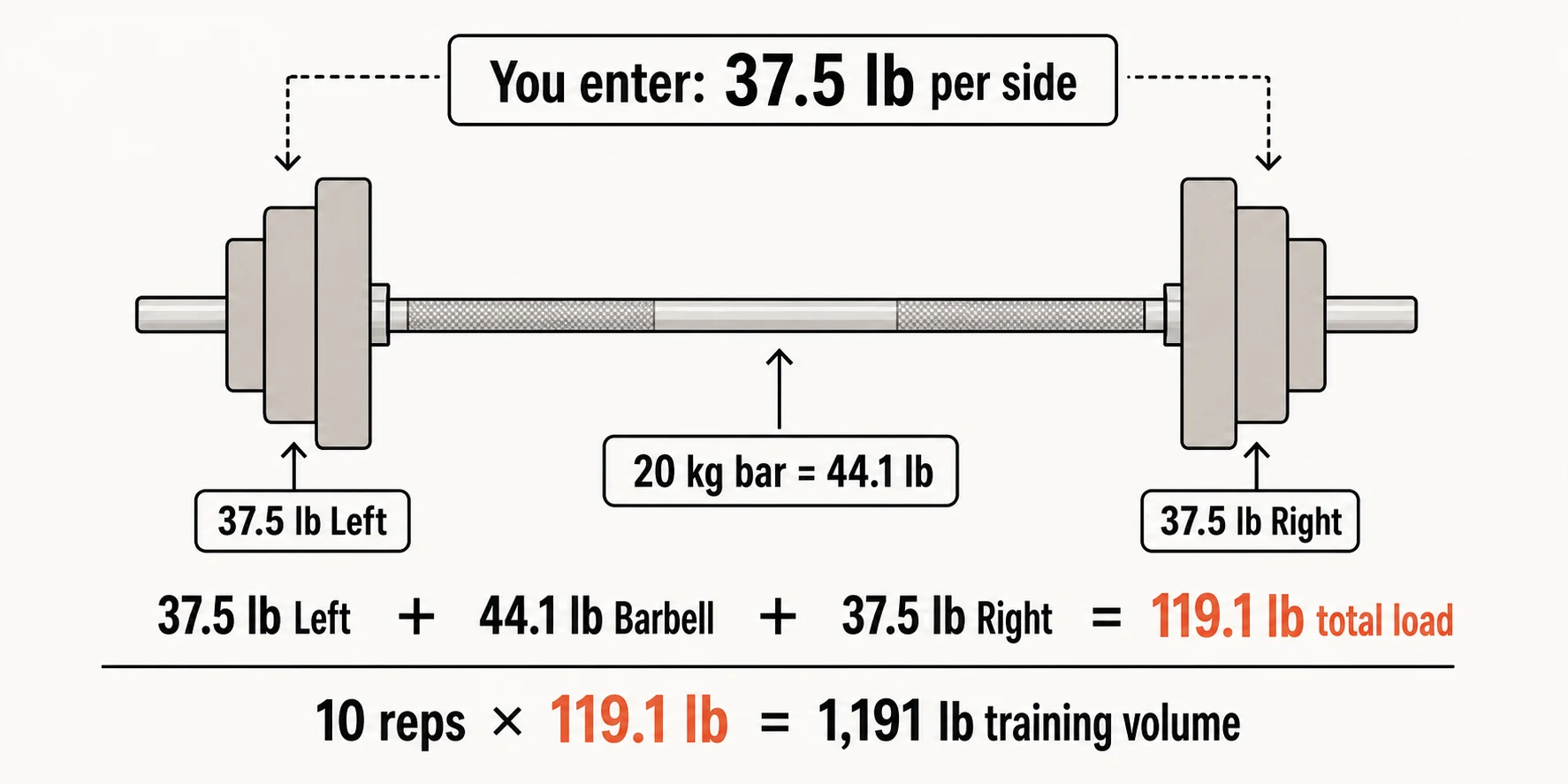
Mixed equipment is where the distinction can save the most mental arithmetic. Say the selected barbell preset is 20 kg, while the plates are easier to enter as 37.5 lb per side. Select Plates Only and One Side / One Implement. Fitness Karma converts the barbell to the entered unit for this calculation, doubles the one-side plates entry, then adds the barbell weight:
37.5 lb left + 44.1 lb barbell + 37.5 lb right = 119.1 lb resolved load
The set still keeps the raw value you entered—37.5 lb—and its entered unit. The resolved load is the value Fitness Karma uses where a complete total is needed, including the recorded set’s calculations.
The exact way a resolved total is displayed can vary by context. The practical point is that you do not have to rewrite a historical entry just because your preferred display unit changes later.
What Fitness Karma remembers with the set
When you log a set, Fitness Karma retains the entered number, its unit, and a snapshot of the load-entry interpretation used at that time. For a Plates Only set, that snapshot includes the barbell weight used to resolve it.
That means workout history and statistics can continue to reflect the setup that was actually logged, rather than silently changing because you later choose a different preference. For the ways those resolved sets appear over time, see How to Track Progress With Workout History, PRs, and Calendar.
A quick choice before you log
- Is the number I am typing already the complete load? Choose Total Weight.
- Am I deliberately typing one of two equal dumbbells or equal machine sides? Choose One Side / One Implement.
- Am I typing the total plates on both sides and need the selected barbell included? Choose Plates Only.
- Am I typing the plates on one side and need the other side and selected barbell included? Choose Plates Only and One Side / One Implement.
The goal is simply to keep the number you will recognise next time while keeping the record consistent behind it. For the broader picture of Fitness Karma as a lifting log, start with Fitness Karma: A Fast Workout Log for Lifters. If the load in question includes your bodyweight or assistance, see How Fitness Karma Tracks Bodyweight, Assisted, and Partial-Bodyweight Exercises.