An article from Pay Link Card
When the Internet Failed Right When a Customer Was Ready to Pay
A real small-business story about a Venmo QR code that would not load at the worst moment—and a simple way to keep payment details ready.
I built Pay Link Card because of one awkward moment after a handyman job.
The job was done. The customer was ready to pay. Venmo was my usual way to get paid, because it was simple: I opened the QR code, they scanned it, and that was it.
But that day, my phone had poor service. I opened Venmo, and the QR code would not load.
The customer was new. I did not know them well yet. I had finished the work, but I could not show the payment code. I had to say, “I will send you a link later.” Then I drove to a place with better service, opened the app again, and sent the link.
Nothing bad happened. The customer paid. But it was not a good ending to the visit.
The problem was not Venmo
Venmo is useful. A Venmo QR code is fast when everything works. Your customer opens their camera or Venmo, scans the code, and can pay without typing a username.
The problem was that I was depending on the Venmo app to load at the exact moment my customer was standing in front of me.
That is a small problem until it happens. Then you remember that payment is part of the service too. The work may be finished, but your customer is still waiting. They may be in a hurry. They may need to pick up their kids. You may need to drive to the next job.
No one wants to stand there while someone opens apps, waits for Face ID, looks for a QR code, and hopes the internet works.
Do not make the backup hard to find
Saving a QR code in Photos was my first idea. But a work phone fills up quickly, and looking through photos is not a good backup plan when someone is waiting.
I wrote more about why a payment QR code should not live in your photo library. For this problem, I just wanted one screen that was ready before I needed it.
Keep your payment details ready before you need them
This is the simple lesson I learned: do not prepare your payment details while the customer is waiting.
Prepare them before the job, sale, or appointment starts.
You do not need to show every possible payment app. Keep your main way to get paid ready, and keep one useful fallback with it. The article about showing payment options goes deeper into that choice.
Before a job, sale, or appointment, I would check three small things:
- the main QR code or payment detail is already on the card;
- the fallback detail is there too, if I need it;
- the note the customer may need is easy to see.
That takes less time than looking for a solution after the work is finished.
Why I made Pay Link Card
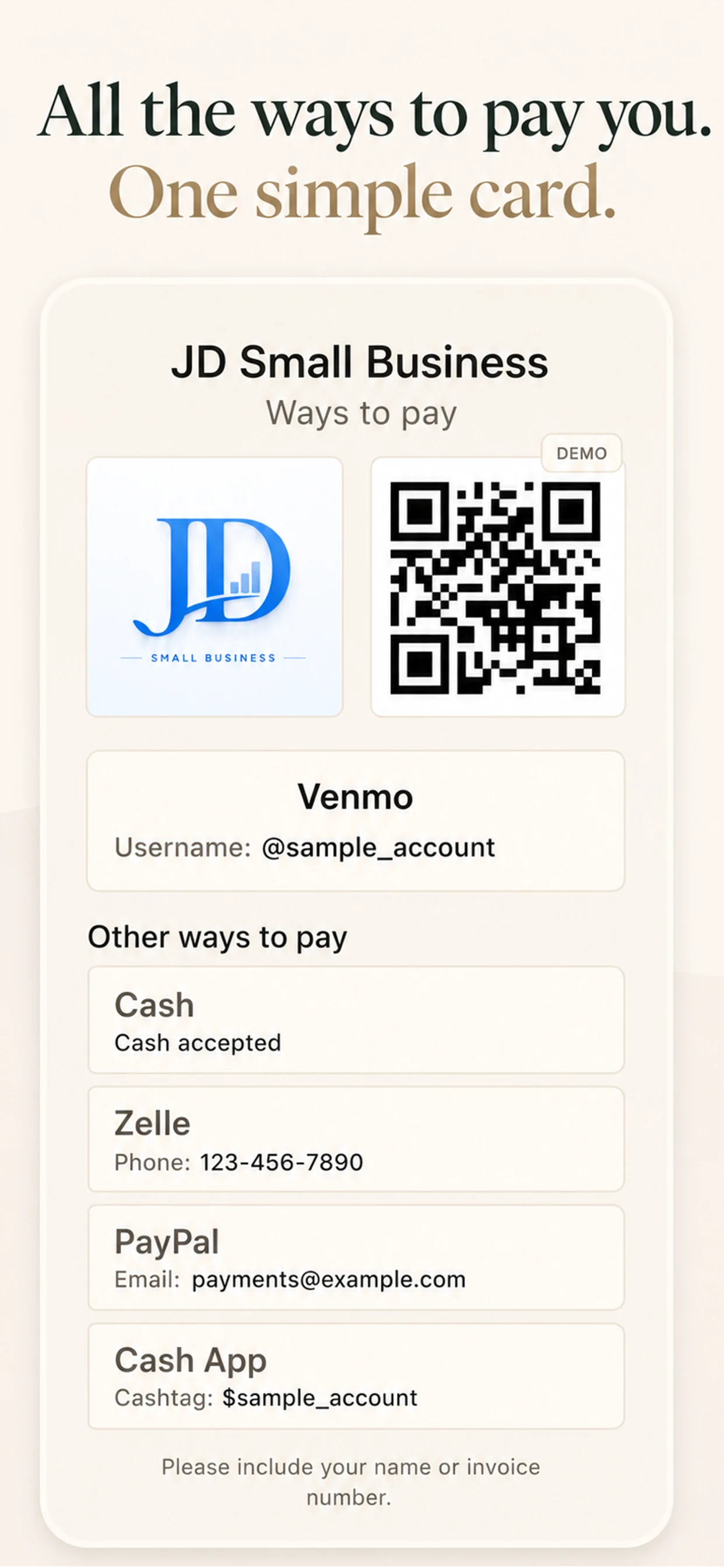
Pay Link Card is the tool I made for this problem.
It is not a payment processor and it does not connect to your accounts. It is one clear card for the details you already use.
The important part for me is that the card stays ready on the device. Once I have added my information and QR image, I can open it even when the payment app will not load. I only need internet earlier, when I get the QR code or payment information in the first place.
A small part of good service
I try to remember this at the end of every visit. I came to make the job easier for the customer. I should not make the last minute harder because I am searching through my phone.
If someone asked how to pay you right now, would you be ready? If not, you may not need a complicated system. You may only need to prepare one clear place for the details you already have.
Pay Link Card is free on the App Store. I made it for that small moment.