An article from Pay Link Card
How to Let Customers Choose Between Venmo, Zelle, PayPal, and Check
A simple way for small businesses to show Venmo, Zelle, PayPal, checks, and other payment options without repeating the same conversation.
When a customer asks, “How can I pay you?” the answer should be easy.
But for many small businesses, it becomes a long conversation.
“I take Venmo.”
“I do not use Venmo. Do you have Zelle?”
“Yes, here is my phone number.”
“My Zelle is not set up yet. Can I use PayPal?”
“Yes. Let me find it.”
This does not happen every day, but it happens often enough. A customer may want to pay right away, but the first app they try may not work for them. Then both people start looking for another option.
I learned this while working as a handyman. Venmo is the payment method I see most often. It is easy when a customer scans a QR code. But some people use Zelle. Some people prefer PayPal. Some older customers still like to write a check. A company may have its own payment process.
There is nothing wrong with that. Different people pay in different ways.
The problem starts when the business owner has to explain each option one by one.
Give people a choice without making them ask for every choice
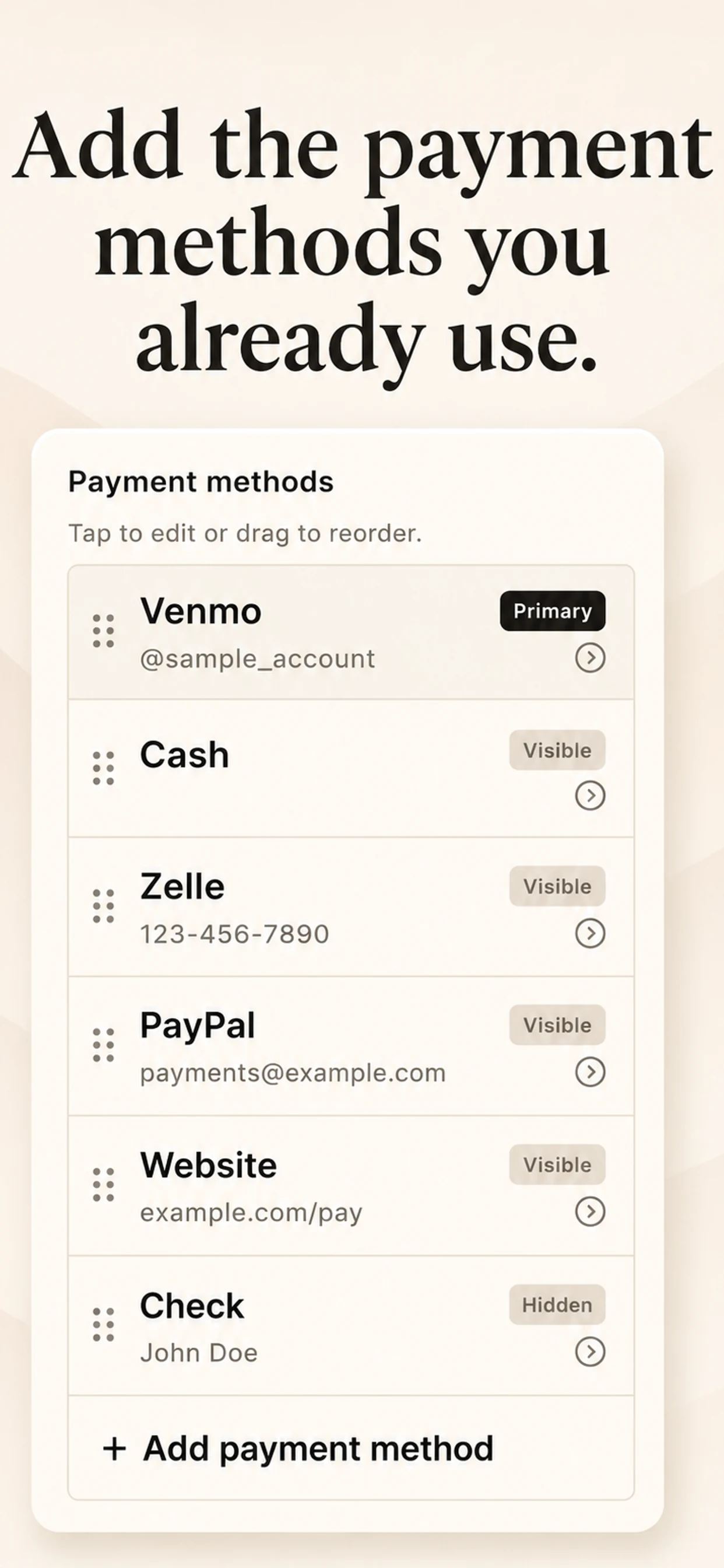
You do not need to accept every payment app in the world. You only need to show the payment methods you already accept in one clear place.
For example, your list could include:
- Venmo with a QR code or username;
- Zelle with a phone number or email;
- PayPal with an email or payment link;
- cash or check;
- a short note, such as “Please include your name or invoice number.”
When a customer can see the list, they can choose the option that works for them. They do not need to ask, “Do you take this?” one app at a time.
This is useful for a handyman, cleaner, tutor, dog walker, photographer, or anyone who gets paid in person. It can also help at a local event or a small market table. The important part is not the business type. It is making the payment step clear.
Put the most common method first
You probably have one method that customers use more than the others. Put that one first.
For me, that is Venmo. Most of my customers find it easy to scan the QR code. But I do not want to tell someone, “Venmo only.” If they use Zelle or PayPal, I want them to have a simple way to pay too.
The first option should be easy to see. The other options should still be ready, but they do not need equal space. That gives the customer a quick answer without making the screen busy.
There may be a good reason to prefer one method. But in a normal service job, the customer should not have to change the app they use just to pay you. The goal is to make that last step simple, not to push them through another decision.
One card is easier than many messages
Before I made Pay Link Card, I often had to open a payment app, show a QR code, or say my phone number out loud. If the customer changed their mind, I had to start another step.
Now I can open one card and let the customer see the methods I accept. If they are paying later, I can copy the information as text and send it in a message.
Pay Link Card does not process the payment. It is simply one place for the details I already use.
A clear ending matters
After a job, a sale, or an appointment, people remember whether they knew what to do next.
If you accept more than one way to pay, put the information in one clear place. Let the customer choose the option that works for them, then both of you can move on.
Pay Link Card is a free way to make that card and keep it ready.