
An article from Pay Link Card
How to Send Payment Details After a Job Without Typing Them Again
A simple way for service businesses to send Venmo, Zelle, PayPal, and other payment details after a job without typing the same message again.
Not every customer pays while you are standing in the same room.
Sometimes the customer needs to leave before you finish. Sometimes a personal assistant handles the payment. Sometimes a realtor asks you to do work in an empty home and pays later. Sometimes the person who hired you is not the person who sends the money.
In those cases, you need to send payment details after the job.
Many small business owners do this by opening Venmo, then Zelle, then PayPal, and typing the information into a message. It works, but it takes time. It is easy to forget a detail, type a number wrong, or send only one payment option when the other person needs another one.
You do not need to do that.
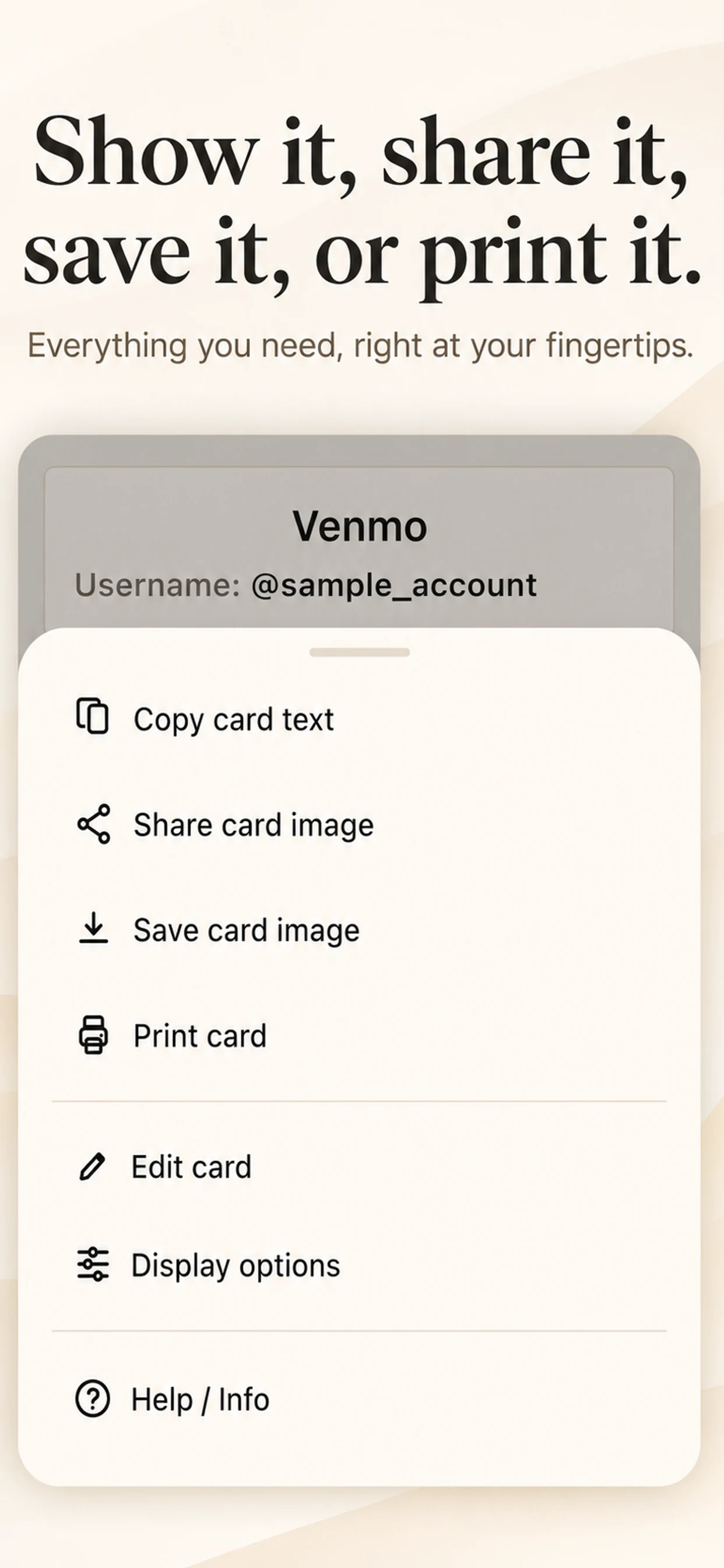
Send text when the person needs to copy and paste
For most payment messages, plain text is the easiest choice.
The person receiving it can copy your phone number, email, username, or payment link. They do not need to read numbers from an image and type them by hand.
Text is especially useful for Zelle and PayPal. If you send a Zelle phone number as a message, the customer can copy it. If you send a PayPal email or link, they can open it directly.
It is also useful when you are already talking by text. You can send the payment details in the same conversation where you discussed the job.
Send an image when you want to show all options at once
Sometimes a card image is better.
An image can show a QR code, your Venmo username, a Zelle number, PayPal information, and a short note in one clean view. It works well when the person wants to scan a QR code or needs to forward the information to someone else.
For example, a customer may say, “My assistant will handle the payment.” You can send a card image. The customer can forward it without needing to explain each payment method again.
The same idea can help a family member, a roommate, or a group of friends after a shared expense. Everyone can see the options and use the one they prefer.
Use a printed card when people pay in person
If you work at a counter, a service vehicle, a table, or an event, a printed card can also be useful.
You can place it where people can scan a QR code or read the payment details. It does not need to be complicated. One clean page is enough.
You may want to use a printed card for a local sale, an event table, a tip jar area, or a small office. You can update the card when your payment details change instead of making a new sign from scratch.
Keep the message simple
You do not need a long payment message after every job.
Usually, one short sentence is enough. Here are three versions I would use:
Thanks again. Here are the payment details. Please include your name or invoice number in the note.
Thanks again. I am sending the payment details here so you can forward them to the person who handles payment.
Thanks again. Here is the QR code and the other payment details in case one option is easier for you.
Then send the text or card that fits the situation. This is clear, polite, and easier than writing a new message from memory every time.
Keep one version ready
I made Pay Link Card for the moment when a customer is standing in front of me. But I quickly saw that the same card is useful after the job too.
The card does not send a payment request or process the payment. It keeps the information in one format so I can copy it, share it, or print it without opening several apps and typing the same details again.
That means I can send one clear message and move on to the next job.
Make the last message easy for both people
Asking for payment after a job does not need to feel uncomfortable.
You did the work. The customer wants to pay. They only need clear information.
If you keep that information ready, the message becomes simple. The customer knows what to do. You do not have to repeat yourself. And the end of the job feels organized instead of rushed.